How to Safeguard Your Banking Data from New Malware Threats
Bank of Spain Issues Warning on TrickMo Malware: How to Stay Safe
The Bank of Spain has raised an alarm about TrickMo, a dangerous malware targeting smartphones. Designed to steal banking credentials, this malicious software infiltrates devices through fake apps or suspicious links, putting users’ financial data at significant risk. Here’s what you need to know about TrickMo and how to protect yourself.
❓ What Is TrickMo?
TrickMo is a sophisticated type of malware that tricks users into downloading it via counterfeit applications or phishing links. Once installed, it takes over critical smartphone functions, allowing cybercriminals to:
- Intercept SMS messages.
- Access banking apps.
- Display fake screens to record your PINs and passwords.
By mimicking legitimate pages, TrickMo deceives users into entering sensitive information, which is then used to gain unauthorized access to their bank accounts.
⚠️ How Does It Work?
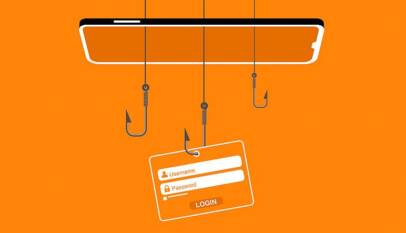
TrickMo operates by displaying a fake interface that looks nearly identical to your bank’s login page or app. When you enter your PIN or security credentials, the malware intercepts the data and sends it to hackers. With this information, criminals can bypass security measures and drain funds from your accounts.
✅ How to Protect Yourself
The good news is that you can take proactive steps to safeguard your personal and financial information:
- Keep Your System and Apps Updated: Regular updates patch vulnerabilities and enhance your device’s security.
- Download Only from Official App Stores: Avoid third-party websites or apps promoted via suspicious links.
- Enable Two-Factor Authentication (2FA): Adding a secondary code for login provides an extra layer of security against unauthorized access.
- Avoid Opening Suspicious Attachments: Be cautious with emails or messages from unknown senders, especially those containing links or files.
☎️ Where to Report Suspicious Activity
If you suspect your device has been compromised or notice unusual activity in your accounts, act immediately:
- Contact your bank to freeze your accounts or change login credentials.
- Visit Spain’s National Cybersecurity Institute (INCIBE) website or call 017 for guidance and resources.
- Check the Bank of Spain’s cybersecurity portal for additional advice on staying safe online.
As malware like TrickMo becomes increasingly advanced, it’s more important than ever to stay vigilant. By following simple cybersecurity practices, you can significantly reduce the risk of falling victim to fraud. Share this information with friends and family to help spread awareness and strengthen collective defences against cybercrime.



How to Get a Language-Friendly Driving Test in Spain
If Spanish test language is your biggest barrier to getting a driving license, DGT has an …